
Where is your child’s bus stop? This is one of the most important questions as we head back to school. Fayette County Schools has a special bus portal for information about bus routes, bus numbers, pick up/drop off times, etc.
Families must inform FCPS if their children will ride a bus to school because the district assigns routes to registered riders in grades K-12.
By mid-July, please complete the IC Annual Update for the upcoming school year via the Campus Parent Portal. It includes a transportation yes/no question for each child.
New routes for 26-27
Our Transportation staff works diligently to prepare routes across the district. You will receive details by email when your student’s route is complete. If you have not received your child’s route by Aug. 10, please call your school registrar to follow up:
Bus Portal for Registered Riders
After you have completed the student household updates through the IC Campus Parent Portal, you can then use the TransAct portal, which allows you to view your child’s bus schedule for the new school year. Note: Transportation staff is working as quickly as possible to assign routes to students.
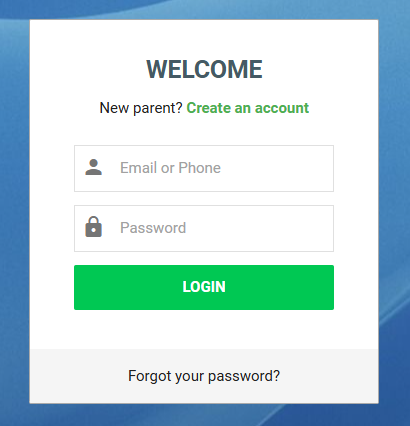
- If you are new to this system, click “Create Account.”
- Follow the prompts on the next screen and submit via the button in the bottom left corner.
- Watch for an email from FCPS Transportation and follow the steps to confirm your correct email address.
- A window should open stating that your account has been successfully verified and activated.
- Return to the School Bus Portal.
- Sign in to access the bus stop and bus route information for your family.
- Video Instructions (Optional)
For questions or assistance, please contact your child’s school.
* If you do not have an Infinite Campus account or you need a username reminder or a password reset, please visit the Campus Parent Support Site.
Note: Bus routes are subject to change anytime, especially during the early weeks of a new school year. You will receive an email if a transportation change affects your student — provided that your child is a registered bus rider.
Reminder: The same policies and philosophies from the past still apply. If an unregistered student shows up at a bus stop in the morning, they are permitted to board and ride to school. The student should confirm with the driver that the bus is going to the school they need to get to. For the occasional afternoon rider, a bus pass from the school office will still authorize a student on a specific bus to go to a specific stop for that specific day or time period.
Getting to the Bus Portal is easy from the FCPS website. Just scroll to the middle of the homepage and find the Popular Shortcuts then click the bus!
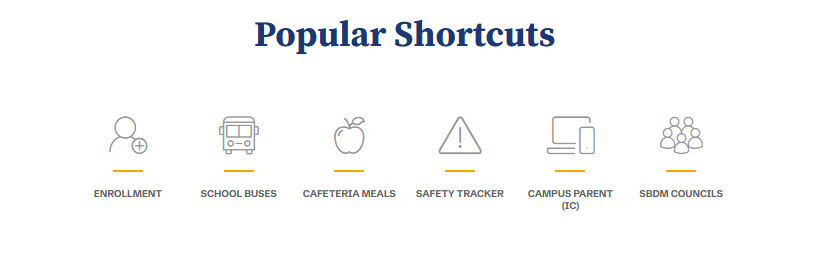
Then click the words School Bus Portal in the middle of the screen
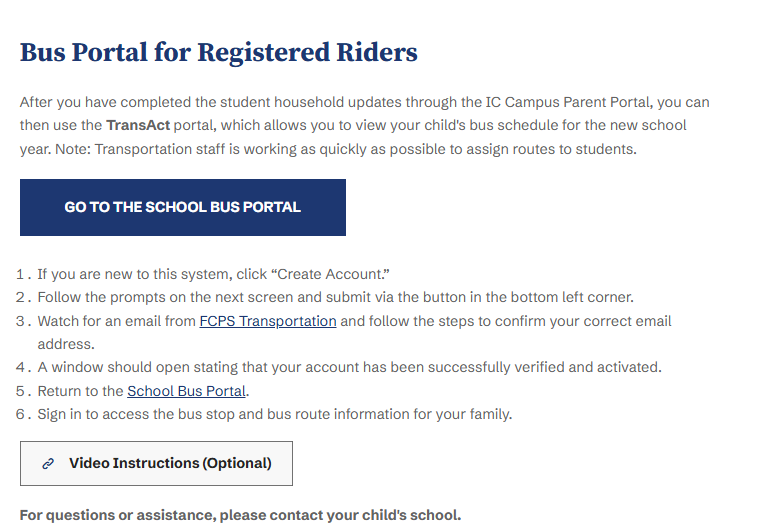
You’ll be directed to the NEW School Bus Portal. You will need to register as a NEW user if you have not had a bus rider previously. There are video instructions and a parent guide to help you as well.